

Pay using CashApp to send Bitcoin with Credit Card
Important Safety Notes
- Use only the Bitcoin address shown on our official checkout page after selecting your package.
- Send Bitcoin (BTC) only — do not send Bitcoin Cash (BCH) or anything else.
- Do not use a $Cashtag for this — Cash App $Cashtags are for fiat only.
- Cash App is for US and UK residents.
Step-by-Step Guide
- Go to apollotvsgroup.com/pricing/, select your package (e.g., Platinum 12 Months), and fill in your information (email, billing details). → This is where you’ll receive credentials after payment.
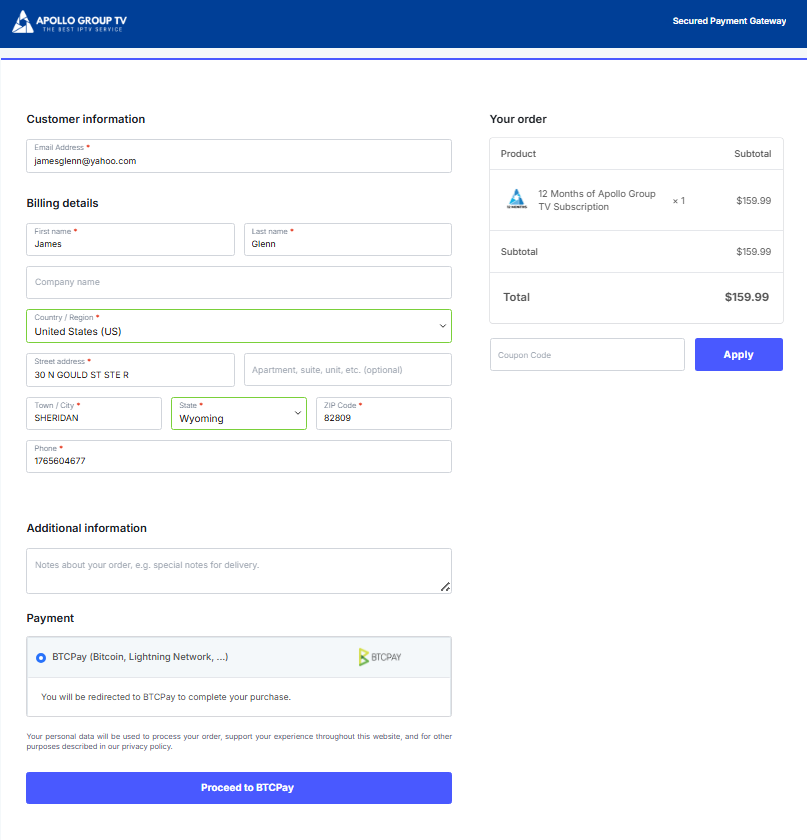
2. Review your order (product, subtotal, total).
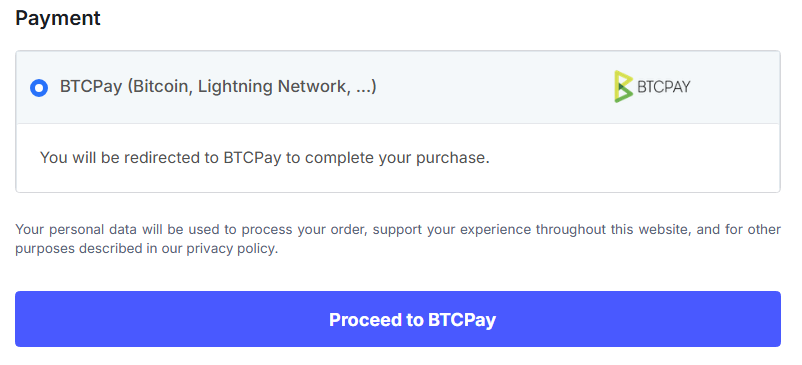
3. In the Payment section, select BTCPay (Bitcoin, Lightning Network, …) and click Proceed to BTCPay.
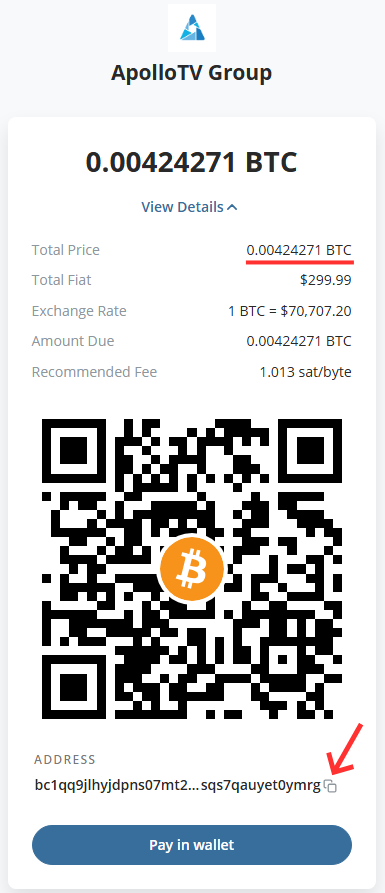
4. On the BTCPay payment screen:
- Copy the Bitcoin address (long bc1q… string).
- Or scan the QR code if you’re on mobile.
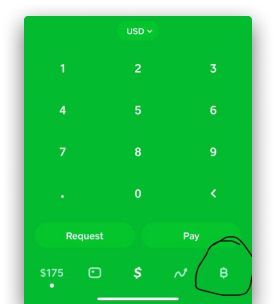
5. Open Cash App on your phone and tap the Bitcoin tile (bottom right, orange BTC/B icon).
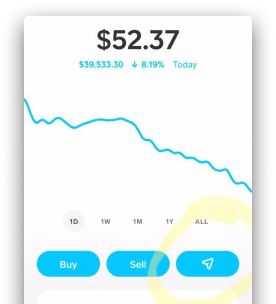
6. Tap Send (paper airplane or arrows icon) → Send Bitcoin.
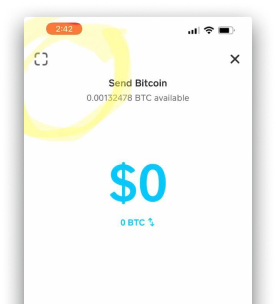
7. Click the box icon in the top left corner.
8. Tap Paste Address and paste the Apollo BTC address you copied in step 4.
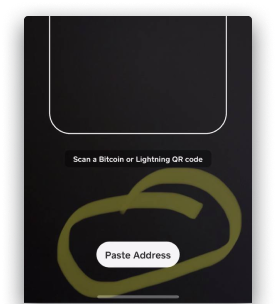
9. The wallet address from our website will be copied over to your Cash App.
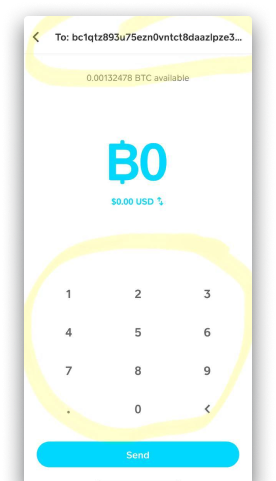
10. Enter the amount for your chosen subscription package.
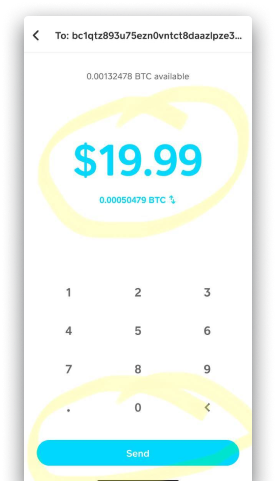
11. Choose withdrawal speed (affects arrival time and fee):
Standard: Up to 24 hours (free or very low fee)
Priority: ~10 minutes (small fee, e.g., $1–$3)
Rush: ~2 hours (medium fee)
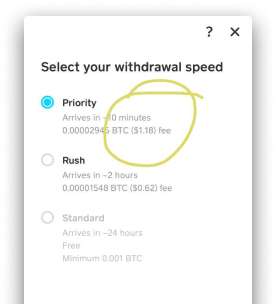
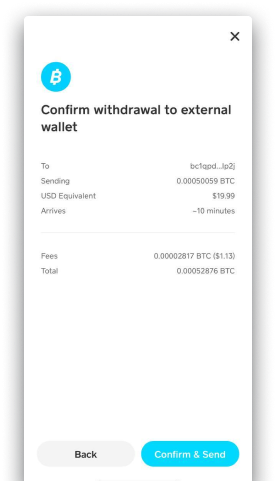
12. Review everything (address, amount, fee, arrival time), then Click the X button in the top right corner.
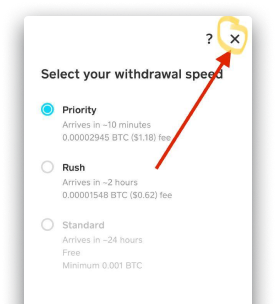
13. Enter the new amount, including the fee (around $1), into the original amount, and then click the SEND button.
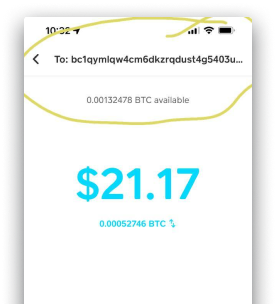
14. Click the Confirm and Send button at the bottom right.
Wait for confirmation:
- Usually detected in minutes (faster with Priority).
- Your Apollo subscription activates automatically once confirmed.
- Check your email for credentials.
If It Takes Longer Than 1 Hour
Email [email protected] with:
- Your order email.
- BTC transaction ID (from Cash App history → tap the transaction).
- Amount sent. We’ll verify on the blockchain and activate manually if needed.
